

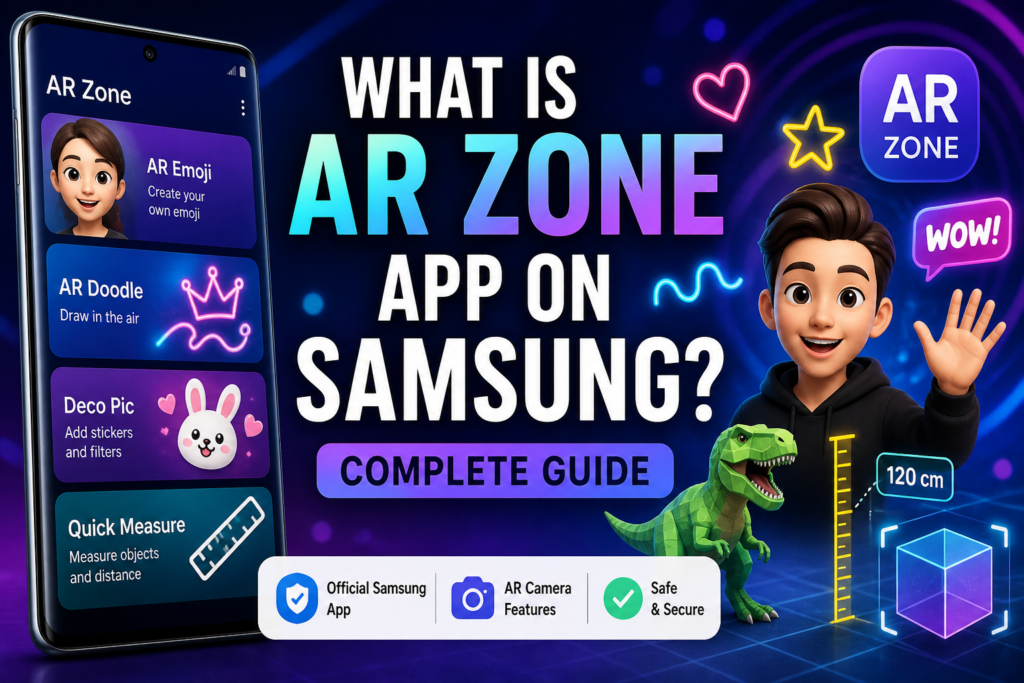
If you use a Samsung Galaxy phone, you may have noticed an app called AR Zone and wondered what it is. Many users search “What is AR Zone app on Samsung?” because it often comes pre-installed and is not downloaded manually.
The simple answer is:
AR Zone is Samsung’s built-in augmented reality (AR) software, allowing you to employ interactive camera features like AR Emoji, stickers, and digital effects in real time.
It is designed specifically for Samsung Galaxy devices.
What Is AR Zone App on Samsung?
AR Zone is a Samsung-developed application that brings multiple augmented reality tools into one place. It serves as a hub for consumers to access various AR capabilities directly from their phone.
Instead of using separate apps, Samsung combines these tools into AR Zone, making it easier to use AR features from a single interface.
What Does AR Zone App Do on Samsung Phones?
The AR Zone software lets you interact with digital information via your phone’s camera.
It works by:
- Detecting your face and surroundings
- Using motion sensors and camera input
- Placing digital objects in real-world scenes
This results in a real-time augmented reality experience, with virtual elements appearing on your screen.
Main Features of AR Zone on Samsung
Here are the key features available in AR Zone:
AR Emoji
AR Emoji lets you create a digital avatar that copies your facial expressions.
You can use it to create stickers, films, and animated messages.
AR Doodle
AR Doodle allows you to draw virtual objects in the air while recording videos.
These drawings remain tied to people or items in the physical world.
Deco Pic (Stickers & Filters)
Deco Pic adds AR stickers, filters, and effects to your photos and videos.
It works similarly to social media filters but is embedded straight into your phone.
Quick Measure (Supported Devices)
Quick Measure uses AR to estimate object size and distance using your camera.
AR Emoji Stickers & Studio
You may personalize your avatar and make animated stickers for messaging apps.
Why Is AR Zone App Installed on My Samsung Phone?
You did not install AR Zone manually.
Most Samsung Galaxy devices come pre-installed with One UI, which includes AR Zone.
Samsung includes it to:
- Enhance camera features
- Provide AR tools
- Improve user experience
It is part of the system software, not a third-party application.
Is AR Zone App Safe on Samsung?
Yes.
AR Zone is an official Samsung app and is safe to use. It is created by Samsung and incorporated in system upgrades.
It:
- Does not act as malware or spyware
- Uses camera and storage only when needed
- Works within Samsung’s security system
Do You Need AR Zone App on Samsung?
AR Zone is not required for basic phone use.
You may want it if:
- You enjoy AR Emoji and camera effects
- You create content for social media
- You like interactive features
You may not need it if:
- You never use AR features
- You prefer a simple camera experience
When not in use, it can typically be safely disabled.
How to Access AR Zone on Samsung
On most Samsung phones, you can find AR Zone by:
- Opening the Camera app
- Tapping More
- Selecting AR Zone
Some devices may display it as a distinct application.
Conclusion
The AR Zone app on Samsung is a built-in augmented reality platform that allows users to create interactive and creative camera experiences. It integrates AR Emoji, AR Doodle, stickers, and measuring tools into a single user-friendly interface.
It’s safe, optional, and intended to improve your phone’s photographic skills. If you enjoy creative features, AR Zone is useful. If not, it can be disabled without affecting your device.
Frequently Asked Questions
What is AR Zone app on my Samsung phone?
It is a Samsung-created AR app with camera-based augmented reality features.
Is AR Zone app necessary?
No. It is optional and not required for normal phone functions.
Can I remove AR Zone app on Samsung?
You normally can’t entirely uninstall it, but you can safely disable it.