

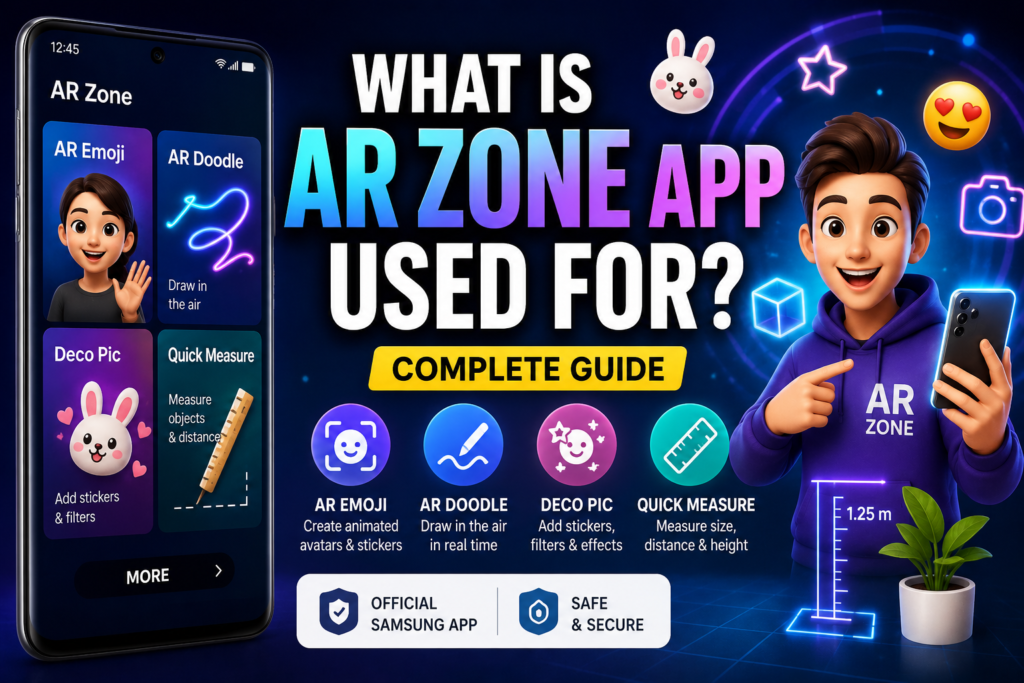
Many Samsung users notice the AR Zone app on their phone and immediately wonder: What is AR Zone app used for? People are curious whether it serves an important purpose or is simply another optional feature because it is frequently pre-installed.
The simple answer is:
AR Zone app is used to provide augmented reality (AR) features on Samsung phones, allowing users to create interactive camera effects, animated avatars, digital drawings, and virtual objects in real time.
It is primarily intended for creativity, enjoyment, and enhanced camera experiences.
What Does AR Zone App Actually Do?
The AR Zone application turns your phone’s camera into an augmented reality platform.
Instead of only capturing regular photos or videos, AR Zone can:
- Overlay digital objects into real-world scenes
- Track facial expressions and movement
- Add interactive AR effects to videos and photos
- Create animated avatars and stickers
This provides a more immersive and engaging camera experience.
Main Uses of AR Zone App
Samsung combines several AR tools inside AR Zone. Here are the main features that users can access.
AR Emoji
One of the most popular features in AR Zone.
AR Emoji allows users to create a digital avatar based on their face.
The app:
- Scans facial features
- Creates a cartoon-style avatar
- Tracks facial expressions in real time
Users can:
- Create emoji stickers
- Record animated videos
- Send personalized AR messages
This function is particularly popular in social media and texting.
AR Doodle
AR Doodle enables users to draw virtual animations while capturing recordings.
The doodles:
- Stay attached to people or objects
- Move naturally with camera motion
- Create interactive AR effects
This feature is commonly used for:
- Creative videos
- Social media content
- Fun visual effects
Deco Pic (AR Filters & Stickers)
Deco Pic adds AR-based stickers, masks, and effects to your camera feed.
It functions similarly to social media filters, but is integrated directly into Samsung’s camera system.
Users can:
- Add animated stickers
- Use face masks and effects
- Customize photos and videos in real time
Quick Measure (Supported Devices Only)
AR Zone can also be used for quick measurements on Samsung devices that support it.
This feature uses augmented reality to estimate:
- Object size
- Distance
- Height and length
It works with the phone’s camera and depth-sensing technologies.
AR Emoji Camera & Studio
AR Zone also includes tools for:
- Editing avatars
- Creating custom animations
- Designing emoji outfits and accessories
This turns AR Emoji into a fully customizable system.
How AR Zone Works on Samsung Phones
AR Zone uses:
- Camera input
- Motion sensors
- Face tracking
- Augmented reality software
The app processes movement and positioning in real time to arrange digital things naturally in your surroundings.
This explains why AR items appear to move realistically with the camera.
Why Samsung Includes AR Zone on Phones
Samsung pre-installs AR Zone because it:
- Enhances camera functionality
- Adds creative tools for users
- Supports Samsung’s AR ecosystem
- Improves social and entertainment features
It is part of the Samsung One UI software experience.
Is AR Zone App Necessary?
No.
AR Zone is not required for normal phone functions.
Your phone will still work normally without using AR Zone for:
- Calls
- Messages
- Internet browsing
- Standard photography
It is primarily an optional feature for those who prefer augmented reality experiences.
Who Should Use AR Zone App?
AR Zone is useful for:
- Content creators
- Social media users
- People who enjoy filters and effects
- Samsung users interested in AR technology
If you appreciate using creative camera tools, AR Zone can be both fun and practical.
Who Does Not Need AR Zone?
You may not need AR Zone if:
- You never use AR features
- You prefer a simple camera experience
- You don’t use filters or avatars
In most circumstances, you can securely disable the program.
Is AR Zone Safe to Use?
Yes.
AR Zone is an official Samsung app and is safe to use.
It:
- Does not act as malware or spyware
- Only accesses camera-related permissions
- Works within Samsung’s security system
It’s a valid system application.
Does AR Zone Improve Camera Quality?
No.
AR Zone does not increase camera resolution or image quality.
Its purpose is to:
- Add AR effects
- Create digital overlays
- Provide interactive features
It improves creativity but not camera hardware performance.
Conclusion
The AR Zone app is used to provide augmented reality features on Samsung phones, including AR Emoji, AR Doodle, stickers, filters, and measurement tools. It integrates several interactive camera experiences into a single application intended for enjoyment and creativity.
AR Zone is safe, optional, and mainly useful for users who enjoy creative camera features. If you don’t use augmented reality features, you can safely ignore or disable them without disrupting your phone’s usual functionality.
Frequently Asked Questions
What is AR Zone app mainly used for?
It is used for augmented reality camera features like AR Emoji, filters, doodles, and virtual effects.
Is AR Zone app necessary?
No. It is optional and not necessary for basic phone functions.
Can I disable AR Zone app?
Yes. If you don’t use AR features on your Samsung device, you can safely disable it.