

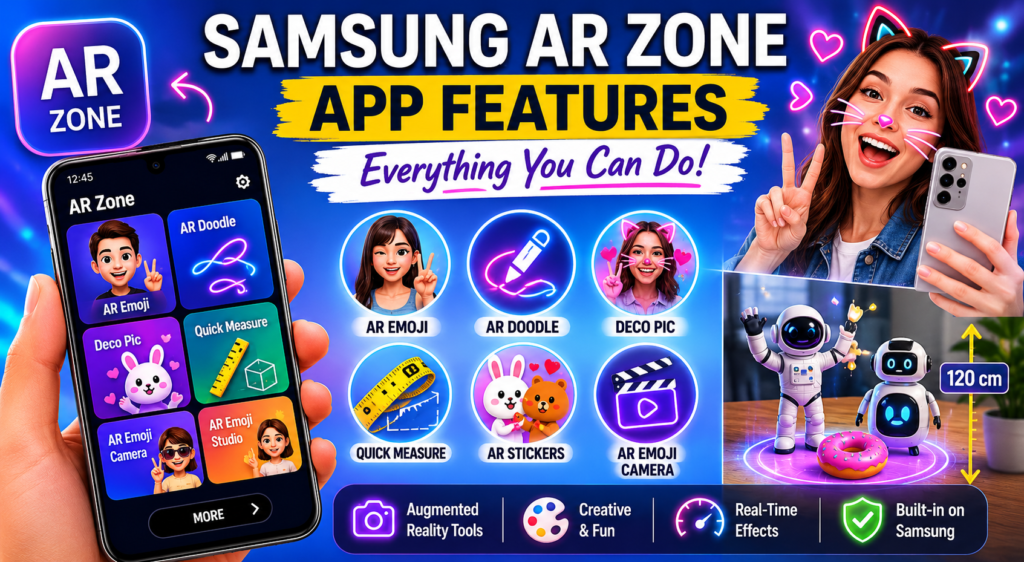
Many Samsung Galaxy users see the AR Zone app on their phone but never fully explore its capabilities. While some people only know it for the AR Emoji, the app also features a number of augmented reality capabilities for making images, videos, and digital interactions more engaging.
If you’re wondering about Samsung AR Zone app features, this guide explains everything available inside the app and how each feature works.
What Is Samsung AR Zone?
Samsung AR Zone is a built-in augmented reality platform that incorporates several AR capabilities into a single app.
It uses:
- Your phone’s camera
- Motion sensors
- Face tracking technology
- Augmented reality software
These technologies enable digital objects and effects to interact with the physical world in real time.
AR Emoji
One of the most popular Samsung AR Zone features is AR Emoji.
This feature enables users to create a bespoke digital avatar based on their facial features.
What AR Emoji Can Do
- Create a custom animated character
- Mimic your facial expressions
- Generate emoji stickers
- Create animated videos
- Customize hairstyles, outfits, and accessories
AR Emoji transforms your face into a digital character that responds in real time.
Many Samsung users utilize this capability to send messages and share material on social media.
AR Emoji Camera
The AR Emoji Camera enhances the normal AR Emoji experience.
It allows users to:
- Take selfies with their avatar
- Record videos using AR characters
- Add animations and effects
- Create fun social media content
The camera detects facial movement and applies animations immediately.
AR Emoji Studio
AR Emoji Studio lets users maintain and create their avatars.
Inside the studio, you can:
- Edit avatar appearance
- Change clothing
- Adjust facial features
- Create new stickers
- Save custom expressions
This feature allows users to completely control their AR character.
AR Doodle
AR Doodle is one of the most creative tools in Samsung AR Zone.
It allows users to draw digital objects directly into videos.
Features of AR Doodle
- Draw floating animations
- Create moving sketches
- Attach drawings to people or objects
- Record videos with AR effects
As the camera moves, the doodles remain attached to the environment, resulting in stunning augmented reality effects.
Deco Pic
Deco Pic is Samsung’s built-in augmented reality sticker and filter system.
This feature lets users add:
- Animated stickers
- Face masks
- AR effects
- Decorative elements
- Fun camera filters
It functions similarly to popular social media filters, but is built right into Samsung’s camera environment.
Quick Measure
AR Zone supports Quick Measure on Samsung devices.
This feature uses augmented reality technology to estimate:
- Height
- Length
- Width
- Distance
Useful Applications
- Measuring furniture
- Checking room dimensions
- Estimating object size
- Quick home projects
While not as precise as professional measuring instruments, it is adequate for most applications.
AR Stickers
Samsung AR Zone also supports a variety of sticker packs.
Users can:
- Place virtual objects in photos
- Add animated effects
- Decorate images
- Create custom scenes
These stickers adapt to movement and perspective, making images more engaging.
Face Recognition Features
Several AR Zone features use Samsung’s facial tracking system.
The technology can:
- Detect facial expressions
- Track head movement
- Follow eye direction
- Animate avatars realistically
This increases the accuracy of AR Emoji and other interactive technologies.
Real-Time AR Effects
One significant advantage of Samsung AR Zone is real-time processing.
Users can see:
- Filters
- Stickers
- Avatars
- Doodles
Immediately on screen, without the need for rendering or editing.
Camera Integration
Unlike many third-party AR applications, Samsung AR Zone is tightly integrated into the Samsung Camera app.
This allows:
- Faster performance
- Better stability
- Easier access
- Improved compatibility
Users can access several AR capabilities simply from the camera interface.
Which Samsung Phones Support AR Zone?
AR Zone is available for various Samsung Galaxy devices, including:
- Galaxy S Series
- Galaxy Note Series
- Galaxy A Series (selected models)
- Galaxy Z Fold Series
- Galaxy Z Flip Series
Available features may vary based on:
- Device hardware
- Camera capabilities
- One UI version
Are Samsung AR Zone Features Safe?
Yes.
All AR Zone capabilities were created by Samsung and are part of the official One UI software ecosystem.
The app primarily uses:
- Camera permissions
- Storage permissions
- Motion sensors
These permissions are necessary for AR functionality.
Do You Need Samsung AR Zone Features?
That is dependent on your usage.
You may enjoy AR Zone if you:
- Create social media content
- Enjoy camera filters
- Use AR Emoji
- Like augmented reality experiences
You might not need it if:
- Only take standard photos
- Never use camera effects
- Prefer a simpler phone experience
Conclusion
The Samsung AR Zone app features deliver a full augmented reality experience right to Galaxy devices. From AR Emoji and AR Doodle to Deco Pic and Quick Measure, the platform offers creative tools that enhance the camera and allow users to interact with digital content in new ways.
While AR Zone is not required for daily phone use, it can be a fun and useful tool for those who appreciate creative photography, social media content creation, and augmented reality technology.